Installation and Packaging
I drive a Corvette Z-06, and LOMAC immediately put me in mind of the car I spend fifteen hours a week inhabiting as I commute the fifty mile trip to work and back: it’s focused and minimalist. It is immediately apparent that the money went into the motor, just like with the Z. The game comes in a simple, small box, containing a CD and some miscellaneous papers. We’re supposed to get a key-card to help us find the various functions; this is important, because any modern sim involves some level of button-pushing. Sadly, Ubisoft’s supplier blew it here — the first 30,000 U.S. releases of the game don’t have their key-card. Matt Wagner is on the problem and those of you getting the game later on should have their key-cards. Further, Wagner has negotiated a way for Ubisoft to step up and get simmers in possession of early copies either a .pdf viewable key-card and the ability to send in for a key-card from the company. Well done, Matt. The .pdf key card is availablehere at SimHQ. To get your actual printed card, contact Ubisoft Customer Support here. On the CD, however, is both a .pdf manual and a .doc containing key commands. Further, as we get into the game architecture you will see that it includes training missions that put the basics at your fingertips.
Before installation, I have to go to the gigs and garlands pile, and hand LOMAC its firstgig. The .pdf manual is absolutely the worst I’ve ever seen in ten years of virtual combat aviation. It is a new low for gaming documentation. It is immediately apparent that the team ran out of both money and time in its quest to complete the game, and something had to slide. I suppose that if something had to suffer, better the manual than gameplay, which is vastly improved over Flanker 2.5, as you will see. Unfortunately, the documentation will confuse all but the most hardened Flanker faithful, for it references features and keys, especially for the Su-27, Su-33, MiG-29, and A-10 that didn’t make it in the final, were modified, or were discarded during beta testing. The readme.doc has an enormous list of errata and addenda that didn’t make it into the manual before final compilation. For the Russian fast-movers, it looks like a cut-and-paste job from the final manual for Flanker 2.0, showing shots of the instrument panel that only remotely look like the in-game panel (which has been rearranged significantly in the Sukhoi fast-movers), and discussing procedures for the long-range DVB radar mode that were discarded early in the beta test as the team quested for greater authenticity in the Russian aircraft.
A company called Digital Aspirin has stepped up to fill the gap, and the readme details how to order its third-party manual. It is not cheap, running around fifty dollars with shipping. It may well be a must-buy, though, for the serious simmer. The LOMAC manual is pretty much useless. SimHQ intends to look at DA’s manual after release, and it is possible that we will review it for you. Stay tuned.
Unlike the manual fiasco, however, you’ll get a pleasant surprise at installation-time. At least, I did. Some people have had significant problems getting LOMAC to run, especially those not using Windows XP as their operating system. The CD auto-run on my Creative DVD-ROM picked up instantly, and the game control panel popped right up. A click of “Install,” and the game installed itself smoothly, with minimal fuss. Direct-X 9.0b installs automatically, prompting the user to agree or disagree to its installation. You will want it; the game graphics need DX9’s features. You’re prompted to register the game, and you can opt never to register if you desire. Also, the game allows installation of the “Ubi.com” online gaming software.
Booting Up
LOMAC continues its minimalist approach at boot-up. As it boots, you will come to realize something that we all have with our experiences: you need lots of memory and a stout computer for this one. I have 512mb of RAM, and though it’s sufficient, sometimes load times are long. They’re comparable, both at boot and at mission-load, for load times with Falcon 4.0 BMS 0.98 with SuperPak3 and FreeFalcon 2 installed. There is no opening movie, a first for this series, and something not often seen with combat sims. Again, it underscores the team’s approach — the money is in the motor. Total Air War likewise had no opening movie, and that never hurt TAW’s gameplay one bit. The macho Slavic chant of Flanker 2.0 has been replaced with a looping .wav of an air to air encounter with both American and Russian voices and equipment humming and beeping, reminiscent of Falcon 4.0’s use of the Libyan F-14 encounter of the 1980s for its GUI background sound.  This can be turned off with a slider in the options, if you get tired of it. From thegigs and garlands pile, I actually give the team a garland for this, because in my personal experience, I want to get into the air and the more distractions that exist, the longer it takes to get down to business.
The GUI
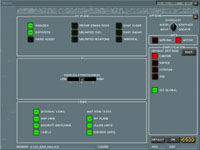
The Flanker heritage is clear at the user interface. On the left side of the screen are buttons for showing your recorded .trk files from missions you have flown; for the training missions; for opening single missions; for opening the mission editor; for setting up a network connection for multiplayer; for running a quick battle; for your game setup options; for an excellently done encyclopedia of the hardware in this simulated world; and for the pilot log book. It’s pretty standard. On the right side of the screen are “Fly Now” options for the six major aircraft involved in-game, to allow players the ability to get a feel for their favorite jet in a training-type low-pressure environment.
 |
 |
 |
 |
 |
 |
 |
 |
 |
 |