The map views feature everything from weather, navigation data, airport information and even a 3D view. Here is the 3D view from high above the Grand Canyon.
The terrain, scenery density, objects and drawing distance settings all greatly affect the performance of this sim. I’m generally running everything on medium-high type settings and am getting superb frame rates. The only exception to this is that there is a noticeable pause if you leave the loaded scenery area into an adjacent area. These pauses last only a few seconds and once the scenery is loaded everything is fluid again, but they are distinct and can interrupt the otherwise seamless feel of the experience.
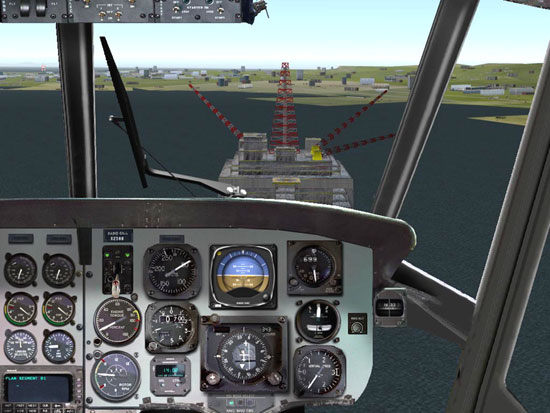
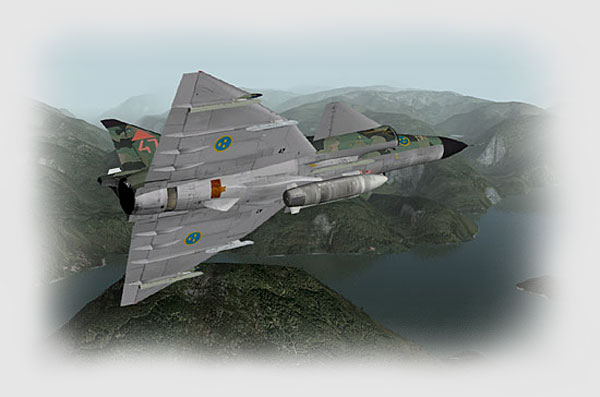
The terrain features and landscapes are very well done. As a real pilot, I feel they are totally believable for the most part and look nice. The objects and buildings are adequate although both the terrain and buildings are sort of generic throughout most of the flying world. This isn’t a simulator that models city specific buildings or features, so don’t expect to see the Washington Monument or Alcatraz in your travels. Scenery designers are releasing free and payware add-ons that are slowly filling the gap.
At the highest detail setting the cities are generic, but packed with buildings and structures. Even my brand new Alienware P4 3.4Ghz with 2GB RAM and a GeForce 6800 started choking on the massive number of objects at the very highest scenery density settings. The sim remained flyable though, as the 12 FPS “floor” I had set kicked in and the haze started to roll in.

Related Posts:
Related posts:
 Laminar Research X-Plane 8 Part 1
 Page 2
Laminar Research X-Plane 8 Part 1 Page 6
Laminar Research X-Plane 8 Part 1
Laminar Research X-Plane 8 Part 1 Page 2
Laminar Research X-Plane 8 Part 1 Page 6
 Laminar Research X-Plane 8 Part 2 Page 9
 Laminar Research X-Plane 8 Part 3 Page 2
Laminar Research X-Plane 8 Part 3 Page 6
Laminar Research X-Plane 8 Part 3 Page 7
Laminar Research X-Plane 8 Part 3 Page 2
Laminar Research X-Plane 8 Part 3 Page 6
Laminar Research X-Plane 8 Part 3 Page 7
 Laminar Research’s X-Plane 9