Installation and Setup
My version of the game is the same one (albeit without the copy protection) that was shipped in England a few weeks before the US release. There has been quite a bit of controversy over GMX’s decision to release the game with little or no documentation. Quite a few people were upset at what was seen at Shockwave’s site and what was actually found in the non-US version of the game. The version from Shockwave is supposed to ship with a manual, map of the battle area, and a DVD that recounts the Battle of Britain (in a much better manner than I did). From what I understand GMX has been instructed by Take2 to print and ship a manual and the map to the people who ordered the game in Europe. I commend Take2 for making this decision. There is nothing that says ‘cheap’ like opening a box and seeing a CD-ROM with no documentation. I know that there is a desire to save money, especially with the increased costs of producing games, but there has to be something in the box.
Wings of Victory ships with a 136 page manual, keycard and map of the area you will be flying in. The manual is generally informative and easy to use although the pictures in the book tend to be fuzzy and the entire book is black and white. The manual contains information on how to set the game up, configure it the way you want, how to play the single missions and campaign, and a brief discussion of the conflict and the major equipment you will fly in the game. The keycard is well made and reminiscent of the keycards you would find in the past. Unfortunately, there have been a few errors found on the keycard so watch the boards and get the pen out. They haven’t been game killers though.
A couple of really nice add ons come with the US release. A DVD documenting the battle comes with the game and is a nice history lesson on what happened during the battle. While maybe not worthy of the History Channel, it is still very informative and does go over well the events prior to the battle of Britain, the encounter and the battle that shaped up. In addition there is a free gift with the game: the B-17 Wings of Power add on for FS2004. Shockwave is well known for their add ons for CFS and FS2004 and this is one of their better-known add ons. The addition of this little Easter egg is somewhat surprising and pleasing. If you have FS2004 then make sure you install this.
Installation was relatively uncomplicated, the game auto installed easily. Release titles come with anticopy protection. Some folks have had some trouble installing with various DVD-ROMs but these folks have been few and far between. No, the anticopy is not StarForce so there have been no reports (that I know of) of DVDs going crazy after the install of the game. You do have to have the CD in to play the game.
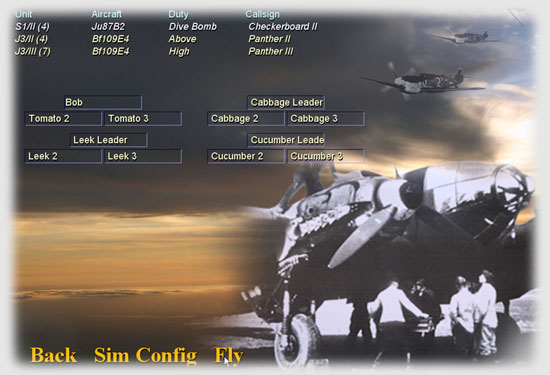
After install and booting up of the game you have a main screen which gives you the opportunity to jump into a number of quick missions (originally called quickshots in the first version of the game), campaign, open saved campaign missions (which you won’t have yet of course), and options which allow you to configure the game to run optimally — you hope — on your computer.
Pretty much just about every graphical or sound feature can be tweaked in the game. You have the opportunity to change the graphic fidelity of everything from the clouds to forest raises to water effects. Shockwave has done a very good job of giving people options in the game. Most people will find the default settings just fine but if you have the hardware you can tweak the game up. Or if you think something may be slowing you down, you can tone it down.
BDG brought TrackIR support to the game and Shockwave has taken this and improved on the BDG features by allowing features like override of the TIR when padlock is pressed (I don’t remember this in the BDG version). I will talk more about the TIR in the game later.
One of the best improvements to the game is the multiple controller support in the game. The only real problem I have seen with it is the inability to reverse map the axis of the game controllers. This is something that has caused problems with CH Products Pro Throttle. It isn’t a major gripe since there are few commands that need to be mapped to the throttle and most can be done with the joystick. Still, it would be nice to be able to turn the thing around to use the buttons if I have to.
Generally I am quite happy with the options that are available when setting up the game. Shockwave took the best of the features of Rowan’s game, made it a little bit easier to use and added some really nice features. Most of what you want can be configured with either a drop down menu or with a quick click of a box.
Related Posts:

Related posts:
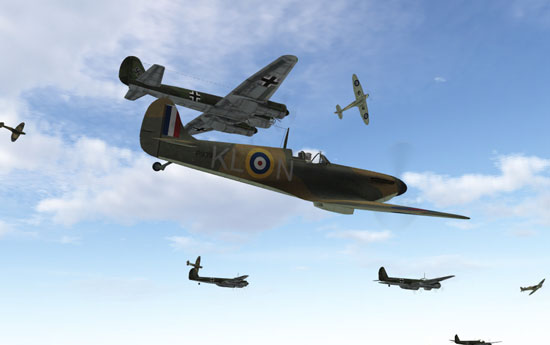
 Battle of Britain II: Wings of Victory
 Battle of Britain II: Wings of Victory Page 2
Battle of Britain II: Wings of Victory Page 3
Battle of Britain II: Wings of Victory Page 4
Battle of Britain II: Wings of Victory Page 5
Battle of Britain II: Wings of Victory Page 5
Battle of Britain II: Wings of Victory Page 6
Battle of Britain II: Wings of Victory Page 8
Battle of Britain II: Wings of Victory Page 2
Battle of Britain II: Wings of Victory Page 3
Battle of Britain II: Wings of Victory Page 4
Battle of Britain II: Wings of Victory Page 5
Battle of Britain II: Wings of Victory Page 5
Battle of Britain II: Wings of Victory Page 6
Battle of Britain II: Wings of Victory Page 8