One note of caution is in order. If you are joining a multiplayer server campaign that has a bunch of people on it, it is likely that the participants will be spread out all over the campaign map on different sorties (since people come and go at different times). If that is the case, time acceleration will not be available to you since all participants must be on the same time scale. That means that if you select a mission that does not take off for 1 hour according to the campaign mission clock, you will have to sit and wait for 1 hour for the clock to wind down to the scheduled takeoff time. If you are flying multiplayer and all participants are in the same flight, then you can accelerate time to reach your takeoff time quickly.
While you are in the mission selection screen you should take the opportunity to review the mission briefing, intelligence, and weapons loadout. Just as in single player offline play, mission planning is critical to a successful outcome in multiplayer mode. Use the recon screen to take a look at the target area and if you are using voice comms it would be wise to discuss tactics with your human flight members.

Just as important as the planning is carrying the right munitions. I made the mistake of taking an OCA one time that wasn’t against an enemy airfield rather the strike was against an enemy base that happened to have helipads (thus still an OCA mission). Needless to say I felt pretty stupid when I arrived over the target carrying Durandals that would serve no purpose. [But not as bad as my attempt to duel an SA-6 using Mk-84s. – Doug]
While you are in the arming screen, be careful about who exactly you are changing munitions for. If you are the flight lead you can change the load-outs of all of your wingmen if their flight positions at the top of the menu are green. Generally if you are flight lead you should deselect the #3 and #4 positions to allow the human element leader (#3) to set his and his wingman’s (#4) load-outs. If, while you are loading your aircraft things mysteriously start appearing and disappearing of their own accord, check to see that the flight leader isn’t mistakenly changing all loadouts instead of just his and his wingman.

Once you have made all of the adjustments, click on the FLY button and you will be taken to the mission countdown timer. As stated before, this clock will count down in real time if other missions are being flown by human players, but it can be accelerated if all of the players are in the same mission. Note that if you are just in the mood to quickly hop on line and fly quickly you are more than welcome at any point to select a mission that is already in progress on the ATO and hop into it mid-flight. You can even join in on a flight of multiplayer humans by replacing an AI wingman on the fly.

Here we are loaded up and ready to head out on our mission. Once human pilots are thrown into the mix there does appear to be the potential for serious ATC headaches if one isn’t extremely careful (and even if you are there occasionally appears unexplained glitches in ATC procedures). One example I noted was that if the #3 wingman (me) calls for taxi and takeoff instructions prior to the flight lead (#1) then ATC may become confused and not allow #1 and #2 to takeoff first, effectively blocking the taxiway. The only remedy for this is for the #1 and #2 aircraft to takeoff without regard to the tower controller’s pleas to hold short and suffer the wrath of the ATC. On a combined strike in which CAP and SEAD flights are tasked to be on the target and arrive at specific times, ATC delays can mean serious miscues. Keep an eye on your mission time and be ready to take matters into your own hands if ATC delays are jeopardizing your mission schedule.
 |
 |
Related Posts:
Related posts:
 Falcon 4.0: Allied Force
 Falcon 4.0: Allied Force – Part 4 Page 3
Falcon 4.0: Allied Force – Part 4 Page 8
Falcon 4.0: Allied Force – Part 4 Page 3
Falcon 4.0: Allied Force – Part 4 Page 8
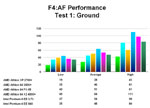 Falcon 4.0: Allied Force Part 5 Page 2
 Lead Pursuit’s Falcon 4: Allied Force
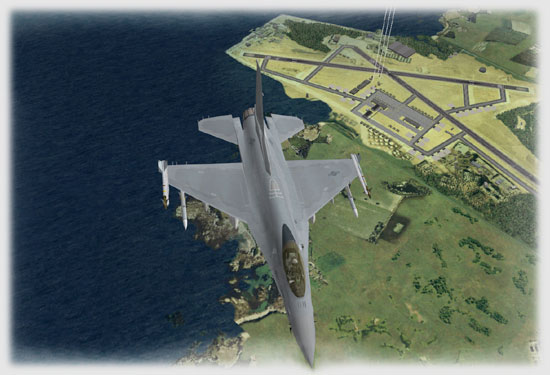 Tom’s HiTiles for Falcon 4: Allied Force Page 2
Tom’s HiTiles for Falcon 4: Allied Force Page 3
Tom’s HiTiles for Falcon 4: Allied Force Page 4
Tom’s HiTiles for Falcon 4: Allied Force Page 2
Tom’s HiTiles for Falcon 4: Allied Force Page 3
Tom’s HiTiles for Falcon 4: Allied Force Page 4