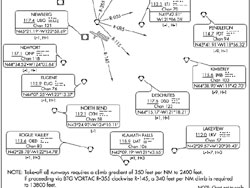
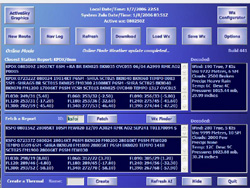
For our review, I picked a flight that was comparable in length to the flight we took for the feelThere ERJ-145. We’ll be flying the ATR from Portland, Oregon (KPDX) to San Francisco (KSFO), a distance of approximately 480 nautical miles. The planned flight route will be the Portland5 departure (SID) to UBG — J126 EUG — J143 RBG to start the STINS1 arrival (STAR) into San Francisco. Our weather is typical for this time of the year, cool and miserable with multiple cloud layers and rain. I’ll use this opportunity once again to plug ActiveSky which is now at version 6 (a free upgrade from 5 for registered owners!). ASv6 takes real world, real-time weather data and plugs it into FS2004 and renders stunningly realistic weather. The ASv6 weather window shows the conditions we are looking at right now for our departure and arrival airports.
 |
 |
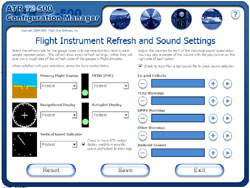
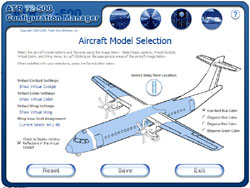
The first thing we need to do is configure our ATR for flight. The guys at Flight1 have done a great job with the configuration menu and there are tons of options to customize the ATR options. You can choose from a variety of default panel views (Captain VFR, Captain IFR, First Officer VFR/IFR, etc.), how the aircraft is initially presented (cold & dark, engines running), instrument refresh rates for slower and faster computers, texture resolution quality, volume of sounds, measurement units (kilos/lbs.), even the color and type of interior in the cabin! On the cabin loading diagram I choose a random load and end up with 39 passengers and 4 crewmembers.
 |
 |
 |
 |
With the load set and the options configured how I want them I launch FS2004. After letting the default flight load (always do this when loading 3rd party aircraft/applications!) I select Portland and the ATR and am plopped into the Captain’s chair of the cold & dark cockpit with the sound of rain pattering on the windscreen. The cargo door and aft entry doors are open and the squat ATR looks ready for action. The scimitar shaped six bladed props are a clue to the advanced design of the ATR 72-500.
 |
 |
If you have integrated FS2Crew you must careful to read the documentation on how to properly use it, this is very, very important. FS2Crew is activated by pressing a button on the ATR panel, but there are several other things that you must to do to properly configure your flight controller and the sim to properly use FS2Crew. I would recommend first learning the ATR through the Flight1 ATR manual so that you are familiar with the panels and systems of the ATR prior to enabling FS2Crew. On the other hand, FS2Crew takes a lot of the burden off of you, the Captain, and delegates much of the minutia to the First Officer. I’ve often said that on planes like the DreamFleet 727 or the Level-D 767 (both excellent products) you are doing the work of two or three people in a very detailed and workload intensive environment. Once you learn to use FS2Crew, you feel like you have become part of a crew and can sit back and offload much of the work.