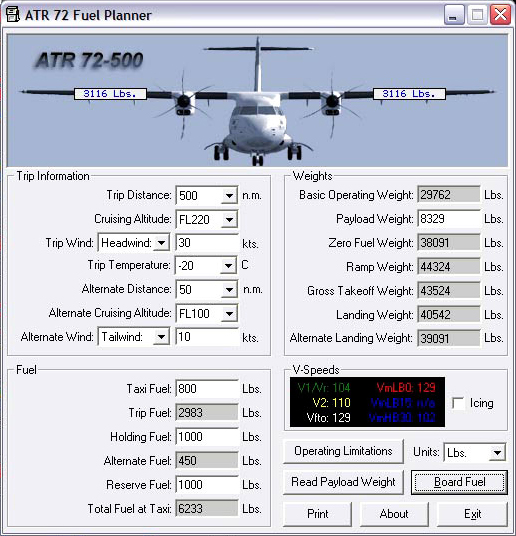
Another useful add-on for the ATR is a tiny (148kb!) executable program written by Ross Carlson that will make planning fuel loads and calculating takeoff speeds a snap. Simply enter the data for your proposed trip and it will tell you the required fuel and V-speeds. (grab the utility here). Since I’m a rookie with the ATR I added in some fudge factor fuel for holding and reserve. Clicking on “Board Fuel” sends the fuel load into FS2004 and you are ready to go. Alternatively, you can of course manually load the fuel and passengers via the FS2004 menu, but I love utilities such as this that take a lot of the guesswork out of the process.
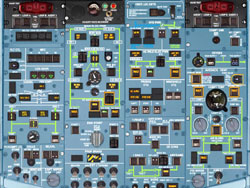
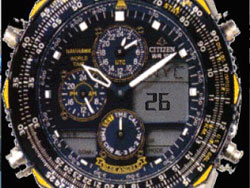
With FS2Crew activated, you will hear and see things clicking, papers shuffling and aircraft systems cycling on and off as the First Officer completes his walk-around inspection and starts pre-start aircraft configuration. He may even tell you that there is a problem with the aircraft which will require you to call a maintenance tech to fix. You don’t have time to kick your feet up and do a crossword puzzle however, because you have a lot of things to do as well. Turning the battery on the panels light up and you can immediately see that Flight1 has done an outstanding job of modeling the ATR systems to the nth degree. Use of the checklist and familiarity with the “crew” concept of FS2Crew is imperative! I’m warning you. FS2Crew functions can be called up by clicking one of the wealth of “hot spots” around the ATR cockpit. One function you will want to keep an eye on is the timer on your watch. This indicates what phase of the preflight you are in and is a good indicator of what is coming next. Trust me, your first flight with FS2Crew will probably not go smoothly. My second flight I did better and by my third flight I had the system down to near perfection.
 |
 |
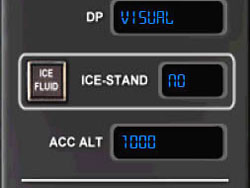
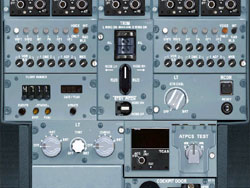
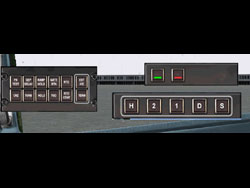
I won’t cover every detail of FS2Crew since there is plenty for you to discover on your own. With the battery on I can hear my First Officer testing the warning systems and configuring the wealth of switches and buttons on the upper panel. I’m relieved he knows what they all do. Another pop-up window can be referenced to see what phase (or “mode”) the crew is currently in. Right now the FO is doing his flow checks and in the meantime I’ve entered the departure brief variables in the window to match the conditions that I anticipate for takeoff. On the lower pedestal you’ll find the radios. You’ll need them to speak to your operations center and your lead flight attendant. Every aspect of the airline environment is covered and you will have to call operations to tell them you are ready to emplane passengers.
 |
 |
The communications are handled ingeniously by FS2Crew by mapping two functions to buttons (or keys) so that you can rapidly respond to or call up communications. Additionally, pop-up menus appear for different functions from talking to the ground crew for starting to a yes/no option for things such as coffee from the flight attendant. It sounds odd, but the system really works and it is programmed well. If you tell the flight attendant (FA) you want a cup of coffee it doesn’t just appear instantly, but a few minutes later after you’ve forgotten about it she brings it up. FS2Crew is rife with nice touches like this.
 |
 |