Community
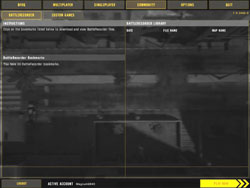
The community screen displays the list of battle recordings. Battle recordings save the file so you can download it after game and watch it like a movie. You have to be activated on the server. I haven’t located a server yet where this is activated, so I’m not sure how well it works.
Battlefield 2 is also geared for the modding community. Electronic Arts will be releasing the different editors for Battlefield 2, and I for one hope to see a nice WW2 mod for Battlefield 2. You’ll be able to activate and use different mods within the Battlefield 2 game engine.
 |
 |
Playing the Commander
Playing as “the Commander” is one of the best new features of Battlefield 2, but it also is one of the most “stressful” tasks to perform in the game. Hit your home key to let everyone know you’re interested in the CO position. If elected you are asked if you want to accept the mission, page up for “I do”, page down for “No thanks”.
Once you’re a commander, find an area where you can plan and command safely. Usually the safest spot is at the rear with the troops protecting your artillery or main base utilities. You can then lay prone, open up your command screen with the caps lock, and start your tour of duty. You have a number of options on the CO map, you want to keep that scan going as much as possible and report to your squad leaders, after the scan of enemy, on contact points and locations near which squads.
 |
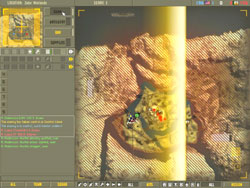 |
When you have a squad near an objective or a strong point, it’s always a good idea to give them a UAV over the area. All squad members can then see what and where the enemy is in the immediate area. You can highlight a squad and by right clicking on the map, can give that squad orders to “Assault”, “Defend”, “Move”, etc. The hard part is keeping track of all the squads and giving squads orders that fit into a big picture, where more than one squad is needed for a certain task.
For one of the best examples of this, click on the 1st squad and order them to move to an objective, just north of a control point. Order the 2nd squad to move to an objective just east of a control point. Then once both squad leaders report that they are in position, do a scan, report your findings, then activate a UAV over the objective. Then, if needed, call in the artillery strike on the target to thin it out. Once the artillery stops, send in one squad to move and engage, the enemy will most likely all turn their attention to the front in an attempt to repel the attack. That’s when you send in the other squad to the flank and clean up the area. Once secured, either capture, defend, or wait for the next mission.
Remember, as the commander… have a plan, communicate with your squad leaders and support them as needed with scans, UAV’s, and/or artillery strikes. You also have the ability to drop supplies, so if requested, send them to the rear of the line — not dead center of the battle.
Playing a Squad Leader
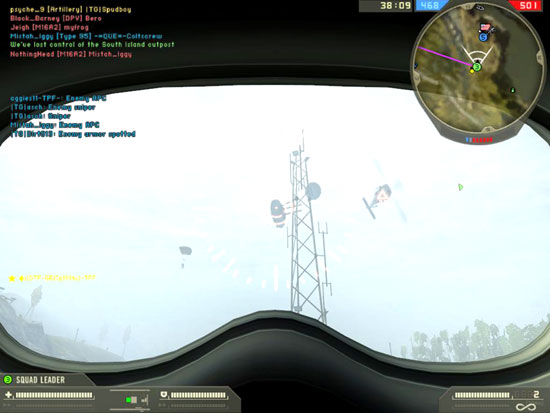
Playing the squad leader isn’t necessarily as hard as the commanders mission, but it’s still very important. When you join a server, it is a good idea to immediately join a squad. Or if the need is there, create your own by hitting your “home” key.
If you’re the squad leader, immediately report your squad active and ready for duty to the commander using the “V” key. The commander should start assigning you and your squad a task. You’re given the task, but it’s your job as squad leader to decide on how best to execute that order. If you’re ordered to a spawn point, but see too much open area or danger zones in front, then tell your squad, with the “B” key, to move North, South, East, or West of the objective. Keep your squad together, but not so close that a couple of grenades or an enemy artillery barrage wipes you out.