Ease of Use
I will go through various simulations that either support the TrackIR2 system via enhanced mode or with mouse emulation mode. If you fly games that have mouse view emulation (like IL2: Forgotten Battles, Flight Simulator 2004, Lock On: Modern Air Combat, Aces High II Beta, or Falcon 4x, among others) then I highly recommend this device.
Simply put, this is the most significant improvement in visual control of a game since the introduction of the hat switch. Ok, maybe it is not quite that great yet, but this thing has the potential to be the “king daddy” of visual controllers. The learning curve is not difficult, but gaining total control of the device can be a little tricky.
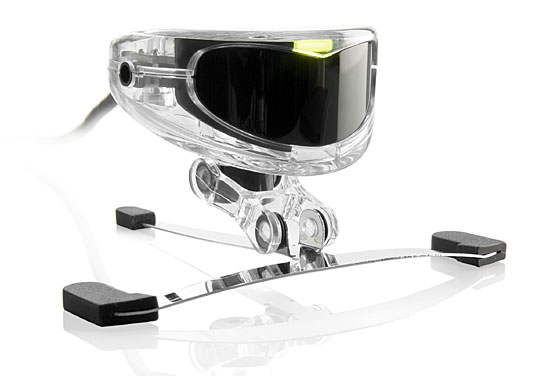
I have played with the thing for about 20 hours now and I am slowly starting to get more and more comfortable with the thing. Basically, the TrackIR2 is a mouse emulation device which uses input from your head and translates it into mouse movements. While this head movement simulates the actual head movement you would find in real life, it isn’t exactly the same thing.
For instance, when you are moving in space you naturally move your head in relation to the movement while keeping your eyes located on the same spot. This head movement, generally in response to the initial movement, is generally an unconscious process used to compensate for G forces placed on your body when you are moving.
This ‘urge’ has to be overcome with the TrackIR — and at first it is difficult. You literally have to train yourself tonot automatically move your head when you turn the aircraft. Likewise, most folks will turn their heads to a certain point then track the target the rest of the way with their eyes. With the TrackIR you obviously cannot do this.
The ability to train yourself in general varies from person-to-person. Some folks have taken to it right away while others have more difficulty. I think in general it takes about a week or so of steady use before you really feel comfortable with the device. If you are someone that just plans on plugging the Track IR in and flying the thing, well, you probably should slow down. It takes some practice to get used to — but the rewards are well worth the effort.
Panning the cockpit for the first time, you realize the potential you have with this device. Following target aircraft no longer requires padlock keys or crude attempts with a hat key. Once you get the thing figured-out keeping an eye on the enemy is as simple as a small head movement. Getting a good firing position and laying ammo on target takes more practice, but this is easily the biggest hardware improvement I have seen for modern flight simulations.
As I said before, the TrackIR2 is a mouse emulation device which means that you can only use the functions with games that have mouse emulation. While this is good for games like IL2, LOMAC, or even EAW, it gives you problems with older games like Janes F-15 or games like WW2 Online that don’t have mouselook available in a cockpit. While I think mouselook will be a standard feature in the next few years it means that the TrackIR is not compatible with a whole slew of older titles.
Likewise, if the game does not support the enhanced mode of the TrackIR2 system then you may have trouble. Later in the review, you will see my use of the system with Aces High II (AHII) Public Beta. I picked AHII because it was in beta. I could seriously evaluate the device without enhanced mode while at the same time not slam a game because the enhanced mode feature wasn’t in place. AHII is still in the early beta stage so right now you may not have enhanced mode support, but it may be a planned feature that’s supported later on. In fact, if HiTech Creations doesn’t support the TrackIR, I will consider it a missed opportunity since they are the only major online flight sim that has mouselook in the cockpit.