by Andy Bush
So we find ourselves at the third part of this series on secondary flight controls…trim. The subject that really started me down this road. Its place as the last of the topics is not by accident. As you will see, trim is affected or has an effect on the two previous subjects, rudder and flaps. Being the last in this series does not mean that trim is the least significant of these subjects. To the contrary, I believe trim to be the least understood of these three areas. We’ll try to improve upon that situation as this article goes along!
As with rudder and flaps, this article will begin with a simplified academic study of what trim is and how it works in real life…and then we’ll switch to our simulation world and get a broad look at what we can do with trim in a typical sim.
But first, let me introduce an old friend from bygone days…the famed Greek scholar and scientist Archimedes. I’ll call him Archie for short!

By now, you are wondering where I’m going with this! Well, Archie did a lot of things in his life. One of them was to work with the concept of levers. In fact, I’m sure you remember Archie saying that if he had a lever large enough, he could move the world.
What Archie was really saying was that he had a tool to help him move heavy loads. As long as the tool…in this case, the lever…was the right size, he could use his limited human muscle power to move loads that he would ordinarily be unable to move. So Archie had found himself a simple tool that he could use to make jobs a little easier on himself.
Let’s leave Archie trying to figure out how to change the Earth’s orbit and move on to sim flying! We have a job to do as well. And we have a limited amount of muscle power to do it with. Our job is to move the flight controls to put the airplane where we want it. Sometimes that does not take much in the way of effort, and other times it does. For those times when we have to exert a little more effort than normal to work our flight controls, it sure would be nice if we had a tool to help us.
Well, friends, we do! It’s called trim.
There it is. The article in a nutshell…trim is a tool.
A tool that we use to help us move the flight controls to whatever position is needed. Let’s repeat that again so that we get it down pat. Trim is a tool that we use to help move the flight controls.
By itself, trim is not a primary flight control surface. We do not use trim to fly the airplane. If we want the nose to come up, we do not use the simulation trim control to raise the nose. If we want to roll the airplane, we do not use aileron trim to bank with. Finally, if we want to keep the airplane from yawing, we usually do not move the rudder with trim.
In any number of forum discussions, I have seen folks that mistakenly think that trim is something that is used to change the airplane’s attitude. This is an honest mistake. Of three subjects in this series of articles on simulation secondary flight controls, trim is the one that is newest on the scene. Our sims were outfitted with rudder and flap controls first. Now, we have realistic trim controls as well. It’s high time that we figure out what to do with trim. Let’s start with some basic academics, but let’s never forget the bottom line:
Trim is a tool. It is only a tool. We do not fly with trim…we only use trim to make flying easier.
Related Posts:

Related posts:
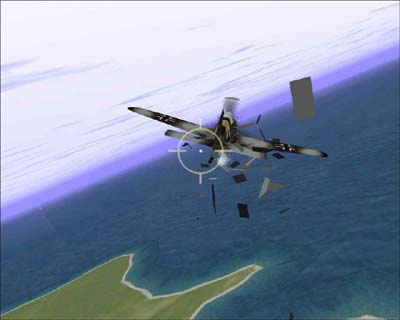 Secondary Flight Controls – Part Three: Trim Page 2
Secondary Flight Controls – Part Three: Trim Page 3
Secondary Flight Controls – Part Three: Trim Page 4
Secondary Flight Controls – Part Three: Trim Page 5
Secondary Flight Controls – Part Three: Trim Page 6
Secondary Flight Controls – Part Three: Trim Page 2
Secondary Flight Controls – Part Three: Trim Page 3
Secondary Flight Controls – Part Three: Trim Page 4
Secondary Flight Controls – Part Three: Trim Page 5
Secondary Flight Controls – Part Three: Trim Page 6
 Secondary Flight Controls – Rudder, Flaps, and Trim
 Page 3
Secondary Flight Controls – Rudder, Flaps, and Trim Page 7
Secondary Flight Controls – Rudder, Flaps, and Trim
Secondary Flight Controls – Rudder, Flaps, and Trim Page 3
Secondary Flight Controls – Rudder, Flaps, and Trim Page 7