Game Setup
It is not advisable to boot up and jump right in flying. LOMAC demands a certain amount of preparation first. Clicking the “options” key puts you into the game setup screens. A rotating knob at the top right of the screen gives the choices of Input, Audio, Difficulty, Graphics, and Cockpit. Visit all of these before you fly the first time.
You should find under Input that when you bring it up the game defaults to keyboard control. No simmer wants to be caught flying by keyboard. If you have a Windows-supported joystick with latest drivers, the pull-down menu at top left should show the keyboard, mouse-control, or your stick. Select the stick, and flip the switch to the pull-down menu’s right to “Axes.” You will immediately notice, if you have a twist-stick, that the line for “Rudder” is empty. Mouse down to your rudder, and highlight it. Go back up to “Key Commands” and click the “Change” button. Select “Rotator2.” You now have your twist-stick recognized in the game and the panel at lower right should be alive. I configure the curve in “Responses” to look EXACTLY like the ones for the pitch and roll axes, with a little curve and a little d-zone (dead-band) in the middle, and my Thrustmaster Fox2Pro has been solid as a rock since I got LOMAC Beta 15 in October. You can also customize the interface to have different stick buttons do different things in various combat modes, if you’re that into detail. That is a little too confusing for me, so I leave it set to “all modes.”
The Audio tab allows you to set relative volumes of various game sounds. For you users that thought the default in-cockpit engine sounds are too quiet, here is your chance to crank ‘em up! You can have it like you want it in LOMAC. You can shut off the annoying sound-loop here too, but it has the side effect of shutting off the music in the GUI after missions. I find this a small loss. I also find that I can run an MP3 player in the background during missions with no loss or impact of framerates.
Let me take a sec to talk about sounds in LOMAC. They’re pretty darn good. Turbofans on the A-10 sound like the real deal. Guns and explosions are dramatic and splashes are fluid. You get sonic booms in supersonic flybys! That’s a simming first and gets an instant garland from me for attention to detail. And voice comms are in the game, at long last. Yes, you can talk to your wingmen! Using the “\” key and the function keys, you can send them hither and yon, and just like in the Jane’s games they’ll tell you that they’re “going SEAD,” or that a missile is launched on your package, or “running in,” a la Total Air War. The voice package reminds me greatly if Jane’s F-15, and it works well for this game. In a 4v4 furball, you’ll hear constant radio chatter as your flight acknowledges your orders, fires and evades incoming missiles. It’s not as chaotic as Falcon 4.0 in campaign mode, but it is not at all sterile.
The Difficulty setting lets you do things like turn labels on and off, set unlimited fuel or invulnerability options, customize views, and things like that. LOMAC does not have IL-2’s customizable icons. It also does not have its snap-views, but it has a less useful set of snap-views and the ability to customize views to the user’s pleasure. As for me, the thumb-hat is responsive enough that combined with the padlock I don’t miss the snap-views.
 One thing you should look at is the “missile effectiveness” slider. If you want the Thunderbolts of Zeus from Flanker 2.0 back, they’re all yours. But if you think they were overmodeled, go default, which is about 55% effective, and gives countermeasures the chance to do their stuff. One thing I have noticed about LOMAC: they’ve done a much better job of radar modeling than in its predecessors. Important things like the Doppler notch, ECM, and terrain masking now are working in-game, and you can at last defeat superior aircraft with better flying. Load those SPS-141, Sorbtsiya, and other ECM pods-they’re handy in a pinch. The only ECM lacking in-game is standoff jamming, which very few of us will miss, I think. Air to mud in LOMAC is tactical rather than strategic, which is a switch for this genre. I like the switch.
The Graphics tab allows you to set screen resolution and the strength of visual effects in-game. Warning: If you do not have a 3.0GHz + processor with a state of the art DX9 compliant video card and 1024mb DDR SDRAM, DO NOT set all graphics options at their maximums. You will get a slide-show. This product is pushing the graphics maximums to their next level and I doubt the hardware exists yet to run everything flat out with acceptable framerates. My system scores 1,703 3dMarks in 3dMark03, I have a GF4 Ti4600 video card, and I cannot run FSAA or anisotropic filtering at 1024×768 resolution in LOMAC — if I want playable frame-rates and detailed explosions and ground textures. Like everything, this is a tradeoff. You can run FSAA and full aniso if you want less detail in your graphics, or put up with a few jaggies and get more candy. I prefer the latter, and your mileage may vary. Upon installation LOMAC will setup the graphics to a “recommended” level and players should try these “default” settings before fiddling around with the options.
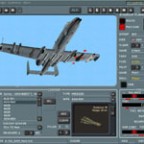
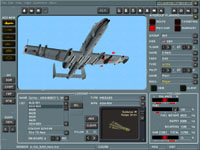
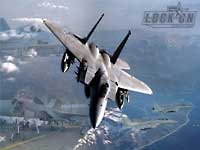
That being said, I’ll reiterate that LOMAC is the undisputed king of eye-candy, now. It has, bar none, the most detailed graphics ever seen in simulated combat aviation. I have never seen 3d models so painstaking, explosions so crisp, flames so fluid (better even than Jane’s F/A-18), and terrain and especially water so beautiful, and this is with mid-range graphics settings. Yes, your box will be flat out like a lizard drinking if you try to go max all across the board and then put a ton of objects in game. But in two years’ time the hardware will catch up and LOMAC will still be in the top three of then-current graphical experiences. Eagle has one-upped Maddox Games with its selection of trees and water effects. It has gone to the next step over Jane’s F/A-18 in its 3d seas and beautiful clouds and weather. You’ll feel like you’re in a real thunderstorm! You even get condensation streaming down the canopy glass! The only thing missing is raindrops spattering on the canopy at low speeds.
 |
 |
Lighting is amazing in LOMAC. Landing lights work like real lights, I have never seen that in a game of any kind. When you wheel into a parking space on the ground, your landing-light beam actually plays over static objects EXACTLY like a set of car headlights do in the real world. I have never seen such a realistic effect. And the sun glows off the water in exactly the same way as it does in real life. It’s just gorgeous at almost any graphic setting.

And get this: The terrain pop-up problems of Flanker have been pretty much resolved. You still get some popping trees from time to time, when your graphics are set higher than your card and memory can fill, but that isn’t all the time. At last, power lines don’t pop up in your face before you can maneuver! Terrain masking is useful in LOMAC, for the first time in this series. A garland and a half to the team for this, it is clear where a good part of the time and effort on LOMAC went. I have had some problems with crashes-to-desktop from graphics loading after running several missions, but my SDRAM is old, and that may be the cause. None of the other SimHQ staffers have experienced these problems, so make sure your equipment is ready for the experience before you kick the tires and light the fires.
The Cockpits tab lets you decide if you want a native-speaking Betty to yell at you in the aircraft’s home language, mirrors in-cockpit, and other customizable things. Visit here before you fire it up.
Let’s get into the gameplay and the all-important training missions.