Finally, it is certainly possible to hand fly the aircraft at low altitude, but keep in mind that a split second of inattention or distraction can have disastrous results. Looking around at MFDs, systems displays, or searching the skies can all result in a controlled flight into terrain. The onboard computer will alert you to a potential collision alert with an audible “GROUND PROXIMITY” alert, but if your speed is too high or your rate of descent is excessive there may not be time to avoid a collision with the ground.
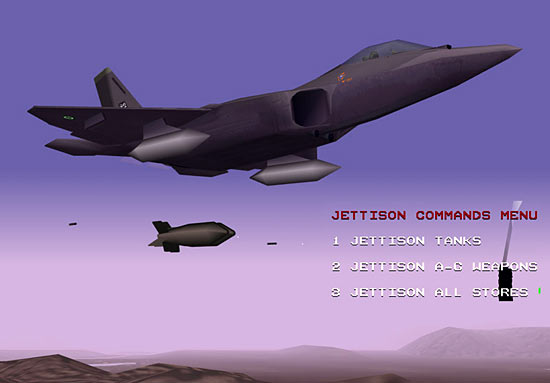
With all of that considered we’ll continue on our way and get rid of some of the stores we didn’t want to carry anyway. Pressing the “SHIFT-J” keys will bring up the “JETTISON COMMAND MENU” which will allow you to selectively jettison your weapons or fuel tanks. Three options are allowed: jettison fuel tanks only, jettison all air-to-ground weapons, or jettison all weapons including air-to-air stores. Remember that carrying weapons on pylon mounted stations dramatically increases the chances that enemy radars will detect your aircraft, so weigh carefully your mission profile and objectives against the penalty of carrying external stores.
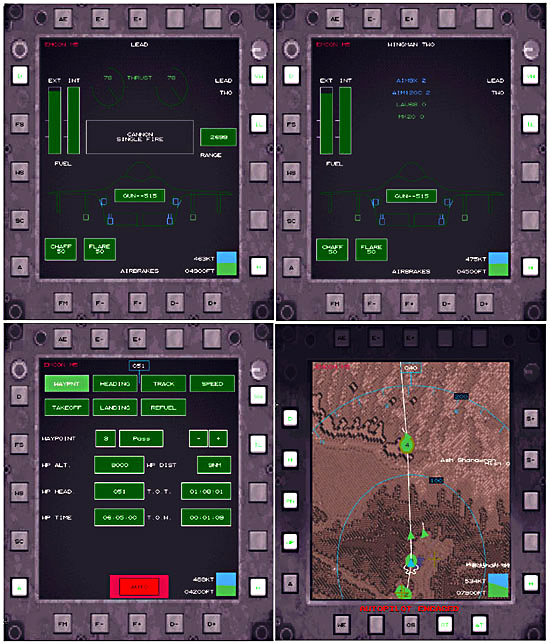
Now we’ll take a look at our SYSTEMS MFD and see what it tells us. I’ve taken 4 different shots of the SYSTEMS MFD to compare some of the things it can display. We’ll start with the upper left screen. TAW gives you the unique capability of being able to monitor your wingmen’s status through a data link. So not only can you monitor your own aircraft systems and health, you can check to see how your buddies are doing with regards to fuel and stores. The upper right graphic shows the aircraft status of WINGMAN TWO. You can also see your engine thrust levels, fuel level (internal and external), and range in nautical miles at your current speed and throttle setting. The box in the center indicates which weapon is currently selected and below is a schematic of the weapons stations on your F-22. You can select any weapon station by clicking on it with your mouse. Text at the bottom of the MFD shows the status of your airbrake, and in the upper left corner text indicates your EMCON level. Finally a miniature attitude indicator, speed, and altitude readouts are in the bottom right corner so that as you are “heads down” you can keep track of where your aircraft is going. The bottom 2 shots of the SYSTEMS MFD shows the MFD in AUTOPILOT mode and the right screen shows the MFD with the terrain map activated. The AUTOPILOT selection screen has many features that we will cover later.
Related Posts:
Related posts:
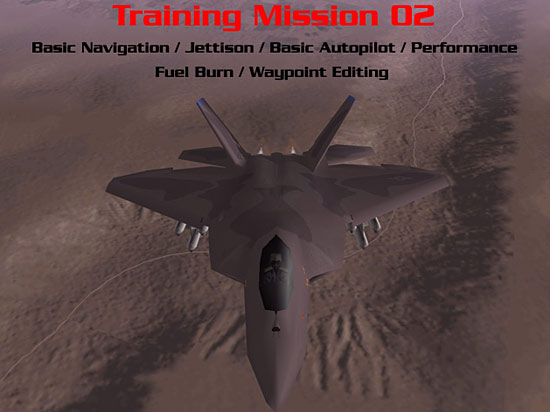 Total Air War: Training Mission #2 – Basic Navigation & Aircraft Performance
 Page 2
Total Air War: Training Mission #2 – Basic Navigation & Aircraft Performance Page 4
Total Air War: Training Mission #2 – Basic Navigation & Aircraft Performance Page 5
Total Air War: Training Mission #2 – Basic Navigation & Aircraft Performance Page 6
Total Air War: Training Mission #2 – Basic Navigation & Aircraft Performance Page 7
Total Air War: Training Mission #2 – Basic Navigation & Aircraft Performance Page 8
Total Air War: Training Mission #2 – Basic Navigation & Aircraft Performance Page 9
Total Air War: Training Mission #2 – Basic Navigation & Aircraft Performance
Total Air War: Training Mission #2 – Basic Navigation & Aircraft Performance Page 2
Total Air War: Training Mission #2 – Basic Navigation & Aircraft Performance Page 4
Total Air War: Training Mission #2 – Basic Navigation & Aircraft Performance Page 5
Total Air War: Training Mission #2 – Basic Navigation & Aircraft Performance Page 6
Total Air War: Training Mission #2 – Basic Navigation & Aircraft Performance Page 7
Total Air War: Training Mission #2 – Basic Navigation & Aircraft Performance Page 8
Total Air War: Training Mission #2 – Basic Navigation & Aircraft Performance Page 9