Simulations (3D)
Ok, enough complaining, let’s see how this baby does with some sims (and some not-so-sims). I tested the following 3D applications with the TripleHead2Go:
|
|
These are pretty much the sims/games I play on a regular basis (and some I fired up again just for testing purposes). Matrox says that the TripleHead2Go can really show its stuff in a MMPORPG, but since I do not play any of those, I have no firsthand experience. A full list of games with TripleHead2Go support can be found here.
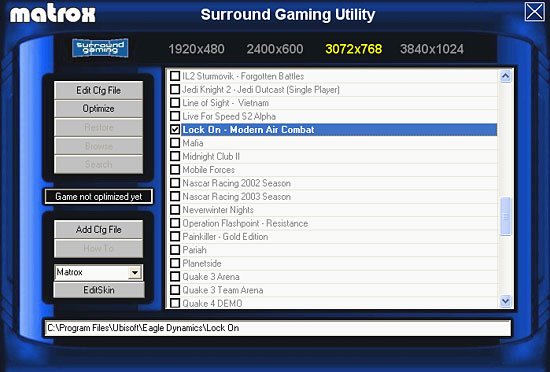
The TripleHead2Go comes with software called the Surround Gaming Utility (SGU). This is software that automatically recognizes games that support triplehead resolutions and with a few clicks should edit the relevant config file(s) to activate one of those four resolutions. Often this process creates a desktop shortcut to the game that is optimized for triplehead gaming. If you do not like the changes made to the config file(s), simply press the “Restore” button in the SGU and every goes back to the way it was before. As new games become available or as existing games gain triplehead support through user-discovered tweaks or user-created hacks, users can upload their triplehead “recipes” to the Matrox website where they will become available for download to others. Unlike PowerDesk SE, the SGU is an excellent piece of software and makes setting up triplehead operation in many games a very simple process.